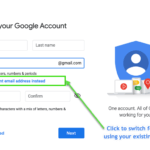
Already have an email account for work, business, or personal that is NOT a Gmail account? You can use it to create a Google login to access services such as Google Analytics, Google Ads, and Google My Business. This will consolidate your business logins in one place, letting you keep your existing email address without […]
Local Business – How to Add Posts to your Google Business Listing
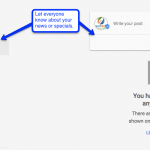
Google completed the rollout of a new feature into the Google My Business (Maps, Places, GMB) accounts. You can now add Posts to your listing to have them reach a wider audience in Search. Posts can show up in both Maps and Search results. You can access the feature by logging in directly at Google […]
Recap: Google Marketing Next 2017
Recap of Google Marketing Next 2017 from San Francisco during Google I/O week. #googlemarketingnext The Future of Marketing – A live keynote with Google about upcoming changes and advances in Google Advertising. Sridhar Ramaswamy – Senior VP Ads & Commerce Mobile has forever changed how we live. Billions of searches daily. 87% of smartphone owners […]
HOW TO Optimize for Google’s Mobile Index
Google has announced that it will soon be splitting its index between mobile and desktop, but the exact date is still likely months away. According to Search Engine Land: “Google will create a separate mobile index within the next few months. Furthermore, this mobile index will become the primary Google index. The newly separated desktop […]
“Possum” Is Google’s Local Search Algorithim Update
via GIPHY Here is what SEOs Know About “Possum” Local Search Engine Algorithm Update: From Search Engine Land: All the evidence seems to indicate this particular update only impacted ranking in the 3-pack and Local Finder (AKA the local results or Google Maps results). The main purpose of the update was to diversify the local results and […]
What SEOs Have Been Waiting For – Google’s Penguin Algo is Now Real – Time!

Another weekend and with it another major Google algorithmic update. What SEOs have been waiting for over two years has finally happened. Last Friday, September 23rd, Google announced Penguin 4.0 is now baked into its search core algorithm, Hummingbird and is now real-time! So What is Google Penguin? According to Search Engine Land, “Penguin is […]
2016 Internet Trends from Mary Meeker
Each year, data and technology industry leaders await the release of Mary Meeker’s comprehensive slide deck on Internet Trends. This is no light reading, but 213 slides of well documented information, statistics and analysis showing a current state and predictive trends in advertising, human-computer interfaces and data. Save this to your favorite bookmark, download or […]
Google Releases Search Quality Guidelines including Mobile
Everyone always wants to know will this tactic or that tactic get my site higher in rankings? Building quality ranking sites isn’t rocket science, but there are a lot of moving parts to Search. Late in 2015, Google gave us a pretty hefty tool to clarify exactly what it considers signals for good performance of […]
MozCon Notes from the SEO Conference
Couldn’t make it to MozCon and need a recap? Arguably one of the better marketing conferences in the year, MozCon is held each summer with invited speakers who are leaders in the Search Engine Marketing industry. Presentation Slide Decks: If you didn’t get to attend, the team at Moz has no trouble sharing. They have posted the […]
Session at PubCon Austin 2015 – Content Remarketing from Leads
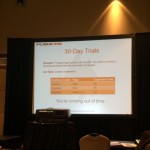
PubCon Austin 2015 was held during the beautiful Spring in Texas. One of the most informative sessions was the Increasing Your Leads and Sales With Content Remarketing by Damon Gochneaur of Aspiro Agency and Sean Dolan of PushFire. These guys provided well documented insights into remarketing advertising. Damon kicked off our session with describing what feels like a […]
- 1
- 2
- 3
- …
- 21
- Next Page »