You are currently browsing the The SEM Blog blog archives for February, 2013.

Want More? Sign Up for our Schipul SEM Team Email Newsletter:


Archives

  • 2013
  • 2012
  • 2011
  • 2010
  • 2009
  • 2008
  • 2007

Archive for September, 2011

SEO Umbrella of Love Tour - Caitlin Kaluza

Last week, I was privileged to go speak for the Public Relations Society of America Tampa Chapter on Search Engine Optimization for PR Professionals.

The group was fantastic with great questions, and it was an added bonus how beautiful the surroundings were!

A special thanks to the PRSA Tampa President Missy Hurley MacFarlane, APR & PRSA Tampa President-Elect Angela Walters for their hospitality & inviting me to come out. (And John Siebenthaler for designing the graphic at right!)

View the Full Presentation on Slideshare; Spiders, Bots & Crawlers — Oh My! A PR Professional’s Guide to Search Engine Optimization

View more presentations from Caitlin Kaluza

Presentation Recap

  1. Search Engine Basics
  2. Identifying Your Audience
  3. Optimizing Your Website
  4. Measuring Success

1) SEARCH ENGINE BASICS

  • How Does a Search Engine Work? – 1. Spider crawls content, 2. Catalogs in index, 3. Algorithm determines what shows for any search
  • Search Engines are deaf & blind
  • Search Engine Relationships

2) IDENTIFYING YOUR AUDIENCE

  • Establish a Baseline -  Set Up Google Analytics Tracking
  • Research Your Target Market – Brainstorm, Keyword Suggestion Tools, Select 3 Key Phrases

3) OPTIMIZE YOUR WEBSITE

  • What do Search Engines Look For?
  • Content is King
  • Logically Incorporate Keywords while Keeping Your Message – in text, in alt tags, in fancy words, in links
  • Keep Your Site Fresh
  • Optimize Across the Web – Local Listings, Online Advertising

4) MEASURE YOUR SUCCESS

  • Visits vs. Conversions
  • Is the phone ringing?

HOWTO: Submit Your Website to DMOZ

posted by Jennie Lane
Thursday, September 15, 2011

Why You Should Submit Your Site to DMOZ

DMOZ is the largest open directory and many search engines like Google rely on it for additional information about a website. The main reasons to submit your site to DMOZ is to gain an authority backlink and consequently improve your search ranking.  It is free to submit your site to DMOZ but it can be a difficult process.  This blog post should help

How To: Submit Your Site to DMOZ

The first thing you should do when visiting dmoz.org is to run a search for the URL you plan to submit. This will ensure that you aren’t submitting a duplicate listing.

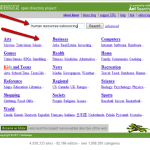
Assuming your search brought you no results, you are ready to choose a category. When you visit dmoz.org you will be brought to a page like the one below and faced with several category options. To save yourself some time you could do a search for your main keyword. In my example, the main keyword phrase is “human resources outsourcing.”

DMOZ Categories

After searching for your keyword phrase you will be brought to a page with other web site listings that are hopefully in a category that also suits your website. Now click the category. For example, “Business: Human Resources: Outsourcing.”

DMOZ Category Search

Once you are inside the category, click “suggest URL” in the top right navigation.

DMOZ URL Suggestion

On the “suggest URL” page you will have to input your web site URL and a title for the site. Below the “Site URL” box you can see that DMOZ has provided many rules that you should follow if you ever plan on getting into their directory. There are also rules for your site title such as not using all caps and always using the official name of the web site.

DMOZ Submission

Once that is complete you can move on to the description. Keep your description at less than 30 words and avoid using all caps, promotional lingo (best, cheapest etc.), repeating the title and always check your spelling and grammar.

DMOZ Submission Description

Enter your email address and the text from the captcha and press submit.  You will then be brought to a screen that lets you know your DMOZ submission was received.

DMOZ is run by volunteer editors, which explains why the wait for a URL submission can take weeks, months and even years. The important thing you can do at this point is to submit it and forget it. Do not submit your URL every few weeks. That will not speed up the process and could result in your web site being permanently banned from the directory.

Google recently announced a change to how links are categorized in your Webmaster Tools. You may be familiar with how link data is categorized into two categories: links coming from other sites (external links) and links from within your site (internal links). Google says, “the update aims to better categorize these links in a way that more closely aligns with your idea of which links are actually from your site vs. from other sites.”

In Webmaster Tools, you can manage different types of sites:

Before this update, only links that started with the exact URL of your site would be categorized as an internal link. Google acknowledges that most people consider schipul.com and www.schipul.com as the same site these days, with or without the “dubdubdub” (aka www). So as Google loves to do, they are adapting to this change. If you add either the schipul.com or www.schipul.com URL versions as your site, links from both the www and non-www versions will correctly count as internal links. Subdomains will now also be included as internal links.

In their blog post, Google included this nifty table to further explain the changes being made to internal vs. external backlink organization in Webmaster Tools:

So what does this mean for you?

When you cross-link subdomains they will be considered as internal links and not as external links or inbound links. Keep in mind, the number of internal links pointing to a page tells search engines how important a specific page is.

Also, inbound links refer to external links or links that come from other sites.  They  have more clout because other people are linking to you. So let’s say someone is cross-linking to your sub domain URL, (blog.schipul.com), your domain (schipul.com) will receive more clout because it’s an inbound link. Of course, we all want more clout.

Meet the Stars of Search Marketing

posted by Christine Pegg
Friday, September 2, 2011

SEO.com recently came out with a stellar infographic featuring the Stars of Search Marketing. You may or may not yet be familiar with these names but in the world of Search Engine Optimization, you should definitely know their work. This fun infographic also showcases the future of search according to these SEO experts.

Stars of Search Infographic | SEO | Search Engine Optimization

For more information about these Search Stars visit their websites: