You are currently browsing the archives for the Social Media category.

Archive for the ‘Social Media’ Category

SXSW Panel – Social Search

posted by Jonti Bolles
Monday, March 15, 2010

Social Media and Search have had a intertwined relationship in their emerging development. Now with real-time search of social media streams, the two are more related and supportive than ever. Today’s panel of experts takes a look at what social search is and what it isn’t, who’s working on it and getting it right, and perspectives on making search and discovery more relevant to users. Panelists include: Max Ventilla of Aardvark, Marc Vermut of Fine Point Solutions, Brynn Evans, Scott Prindle of Crispin Porter + Bogusky and Ash Rust of OneRiot. I have coffee and they are playing some Inertia rock this morning while everyone set’s up. Let’s get started.

What is Social Search and how does it benefit the social graph?

Brynn Evans is first up. She is a digital anthropologist looking at what people are doing onilne and how we design for social interactions to be integrated with Search. Search is no longer just a question inside a box. But, how can our friends help us. Search is a process over time. She defines three flavors of social search. Collective, Friend -filtered, and collaborative. People exhibit two main social strategies. Some want to ask the network for help and guidance before doing a search on their own. Others distinctly want to embark alone first and see what they can gather. It’s not until they can’t find what they are looking for when they ask friends or networks.

Next is Max Ventilla as a Google zookeeper after his startup Aardvaark was acquired by Google. Subjective questions generate majority of revenue. But and unreliable and there is a social cost of asking a favor. How do you find the best person to answer your question? Each individual’ network is growing exponentially. In queries of subjective nature, average query is 19 words as opposed to Google 3-4 words. Social context is different than the social graph, the context is frequently sufficient. Went to same school, etc. Intimacy (more than authority) facilitates trust.

Ash Rust is Director of Search Relevance at OneRiot. Advertising is matched with realtime web and focused on indexing what people are talking about in social media. Delivers very realtime both in browser and app modes for a swarming type of distributed tool. Ask the masses for best answer.

Prindle is thinking about social search in the digital marketplace. “Give customers something good to talk about in social media, and they will talk. That conversation becomes content for social search, helping to drive additional traffic and conversation.” This sharing used to happen in email, but is not happening in public. Advertising space for many years has been start in TV ad, then drive other marketing efforts. New model example: Best Buy’s @Twelpforce as example of social search platform. Using TV to extend to wider audience.

Where is Social Search going?

Will these new forms of search overtake the Google Box? 20-40% of queries can be handled by social search currently according to Rust. It depends if they will overtake. Different responses are useful in different search. Brynn comments that we often go to Google for an answer, but still need the next level of social relevance. I have an answer, what do I do with it? Then network can follow through. Rust chimes back in with how to rank in social algorithms based on history of streams and their diversity of content. Inference of smaller groups or networks and may highlight authority.

Brynn biggest problems are who is an authority, how to index them, and how to index friends. OneRiot and Aardvaark answer these in different ways. Aardfavrk is a response to the tremendous social activity happening online. OneRiot recognizes the need for different search. For example, a simple search for “killer whale” might bring up lots of information about whales, Orca, etc. But not necessarily what the ongoing conversation is about social responsibility of killer whales in SeaWorld shows after news item of killer whale attack.

Monetization of Social Search and Advertising

Reverse delivering search information starts with answers, then builds brand. Nash talks about the monetization of Social Search. Traditionally, you draw people coming to you with a clear commercial intent. Then they ask you want they want and you can answer with incentive. New model focuses on not just PPC. First deliver organic answers, then deliver sponsored ads not only at cost of PPC, but discounts on bid based on delivering good responses. Bad responses will not be rewarded. Asking people first if they want a sponsored ad typically is over 50% for opt-in. Social search will allow advertisers to target user intent and not just users.

New model is not about buying keywords, but creating content the social search indexes. Headlines are being tracked more than keywords. Links are still more important than keywords. Anchorlinks and number of people linking to your content is more important than the actual keywords and will continue to drive ranking and indexing.

How do you Measure Social Search?

Finally, in measuring social search, @ventilla on social analytics: “Who you are connected to is more important than how you describe yourself.” True analytics of social search is still TBD. Will be a growing area of research.

Holiday Trends and Planning

posted by Jonti Bolles
Wednesday, December 2, 2009

Most of us are aware of Holiday Trends and Planning as we scurry to find the best deals on Cyber Monday or Free Shipping Day. If you are a little late in getting your site optimized for this year’s holiday rush, start planning for upcoming seasonality.

Online shopping and events can make effective use of campaigns related to keyphrases such as free shipping, discount, gift, coupon and last minute deals. Use Google Insights and Trends to discover seasonal trends for your segment of the market. Whether it is a gift membership, free shipping or other discount, savvy shoppers are on the lookout for value.

Start planning now for health and fitness related topics in the early January, flu and cold season topics, and upcoming holidays for Spring Break and Valentines. Coordinate a combined effort from on-page web optimization with off-page marketing efforts including newsletters, events, and social media announcements.  Spend some time looking at your past year’s analytics and scour for traffic spikes or increased opportunities around industry events. Setup coordinated campaigns which may include a targeted PPC campaign.

Not sure what dates are important for your business or association? Check out the calendar for editorial planning from the presentation by the Schipul SEM Team.

Holiday Marketing Planning with SEM

Jonti Bolles

For more information on Search Engine Optimization, Trends and Marketing, contact our Search Engine Marketing Team at Schipul and follow SEMblog on Twitter.

Twitter Teams up with Google and Bing

posted by JMO
Tuesday, October 27, 2009

Twitter recently partnered up with both Google and Bing to allow them to search and index the full stream of tweets. Both companies are taking a different approach to how to showcase the data. Here is a look at each one.

Bing Twitter Page and Search

Bing actually created an entire page at bing.com/twitter which displays trending topics in a cloud at the top followed by a listing of the most active links below. Each link is followed by a couple of related tweets. There is some mystery as to which tweets are being selected. It does not appear to be the first tweets or the ones from people with the most followers. It also seems the links are tied to the trending topics, and are not necessarily the most popular links on twitter.

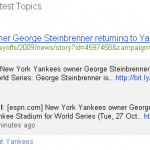
Bing Twitter Search for the Yankees.

Additionally, Bing adds the ability to search the twitter stream in real-time. After searching a term (like Yankees) and you 4 selected tweets followed by some of the top linked content relating to those words. You can view the full tweetstream and either allow it to continually refresh or pause it a read a few. Be careful with some of the top trending topics, as they can start refresh faster than you (or at least I) can read them.

The Bing search adds some value with the related links, but the selection of how these links (and top two tweets) are chosen is still not fully known. Hopefully some of this will get ironed out as Microsoft continues to make progress in developing this search option.

Google Social Search

Google takes a completely different approach to the fire hose of Twitter data. While this may not be their long-term plan for the data, they are currently integrating it with a few other services in Google Labs. At the Google Labs Experimental Search, you can join the experiment, which gives you the option to use Social Search. Once you have signed up, when you search for something on Google and click Show Options you will see Social at the bottom. Selecting it gets you into the special Social results.

Google Social Search for Yankees

These results will show links from different people you are connected to and how you are connected to them. It also gives you the option to view results from a single person. Google creates these connections using your Google Profile (you created that, right?). I have Twitter as one of my links, as well as my YouTube account. Google scans these two networks to search for connections I might have, then it searches through that data.

This is much different than a full Twitter search, but in many cases it may be more useful. You are probably more interested in what the people you know and follow have to say than the rest of the Twitter universe. It also works to filter out all of the spam that currently plagues and Twitter trending topic. The links go to tweets, blogs, and other links related to the search, which adds some additional value to just searching the twitterstream.

These two new ways to search Twitter are still early in development so expect some changes and improvements in their results over time.