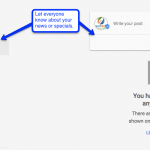
Google completed the rollout of a new feature into the Google My Business (Maps, Places, GMB) accounts. You can now add Posts to your listing to have them reach a wider audience in Search. Posts can show up in both Maps and Search results. You can access the feature by logging in directly at Google […]
What SEOs Have Been Waiting For – Google’s Penguin Algo is Now Real – Time!

Another weekend and with it another major Google algorithmic update. What SEOs have been waiting for over two years has finally happened. Last Friday, September 23rd, Google announced Penguin 4.0 is now baked into its search core algorithm, Hummingbird and is now real-time! So What is Google Penguin? According to Search Engine Land, “Penguin is […]
Session at PubCon Austin 2015 – Content Remarketing from Leads
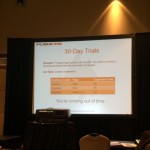
PubCon Austin 2015 was held during the beautiful Spring in Texas. One of the most informative sessions was the Increasing Your Leads and Sales With Content Remarketing by Damon Gochneaur of Aspiro Agency and Sean Dolan of PushFire. These guys provided well documented insights into remarketing advertising. Damon kicked off our session with describing what feels like a […]
Panda Do’s and Don’t from Moz
It is not often that I see a clear and short video explaining complex ideas. Panda and Penguin algorithm updates from Google continue to confuse and perplex most people who are not directly in the SEO industry. Moz published a WhiteBoard Friday video outlining how to move forward with your website and content to make […]
Schedule Your Reporting in the New Google Analytics
They say change is a good thing, but it isn’t always easy. SEOs everywhere are experiencing the big change taking place with Google phasing out the old version of Google Analytics. It seems like Google is itching for the “old version” of Analytics to go away. The only way to even get to the old […]
Google Reorganizes Internal vs. External Backlinks
Google recently announced a change to how links are categorized in your Webmaster Tools. You may be familiar with how link data is categorized into two categories: links coming from other sites (external links) and links from within your site (internal links). Google says, “the update aims to better categorize these links in a way that more closely aligns with your idea of which links are actually from your site vs. from other sites.”
The URL Debate: Underscore vs. Dash
A common question in the SEO world has always been: What’s best to use in a URL, dashes or underscores? Do they make a difference to search engines and how our web sites rank?
According to Search Engine Land, Google and Bing handle dashes and underscores in URLs differently.
Google Introduces Faster, New Way to Submit URLs Using “Fetch as Googlebot”
Google’s Webmaster Tools now features a new option to submit your new and recently updated URLs for indexing by Google. In order to submit a URL, first you have to fetch the URL as Googlebot. Once the URL has been fetched and deemed successful, Google will give you the option to submit that URL to their index. After submitting, your URL will be crawled by the Googlebot, usually within a 24 hour time frame. Once the URL has been crawled, it will be considered for inclusion in the Google index.
Google Announces Places Changes

Google announced Thursday that Google Places pages have undergone a few very important changes. You’ll notice that third party reviews are now gone from Places pages. These changes come as a result of other consumer ratings websites like Yelp, Citysearch, and TripAdvisor claiming that Google was using their content without permission.
Places pages will still link to these third party sites for a more well rounded search experience but only after showing Google user reviews. Google will no longer integrate the actual reviews from any other consumer rating websites into the page or the Place rating system.
The Posts feature in Google Places for Local Promotion
In the new era of micro messaging, Google has added Posts to the Google Places listing tools. Think of this as a small welcome or featured message to your clients and to promote your business. If you haven’t see this yet, Google Places is the newest version of Local or Google Map type listings. Once […]